How to Read Ladder Diagrams: Mitsubishi and Omron Basics
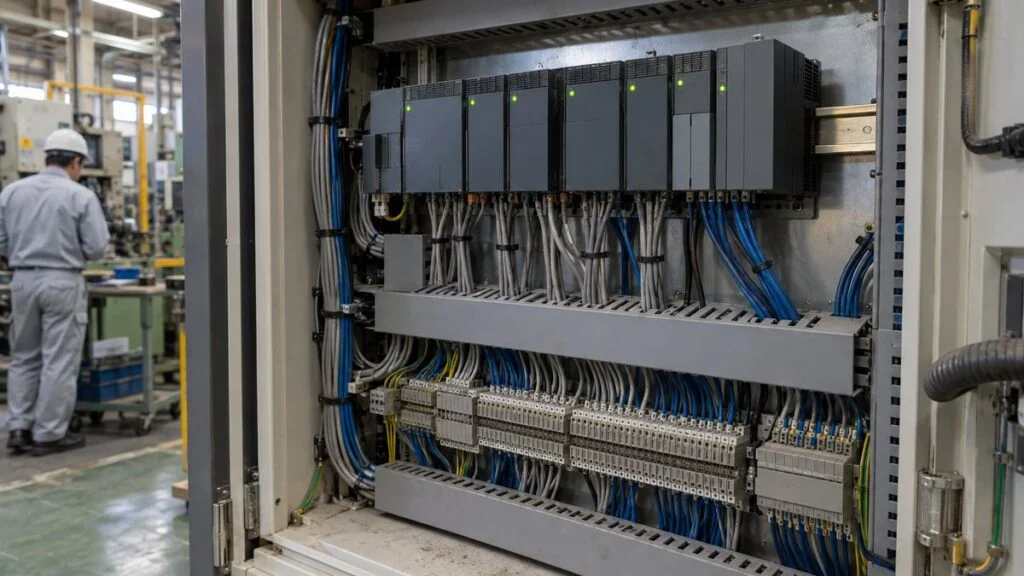
A conveyor on a machine built in Japan stops. You connect a laptop to the PLC, open the program in Mitsubishi's GX Works or Omron's CX-Programmer, and face rung after rung of contacts and coils. You know the machine, but the logic is someone else's, and you need to work out quickly which condition is holding the output off.
The short answer: read each rung as a sentence: "if every contact on the left passes, the coil on the right turns on." Read the rungs from top to bottom. You only need about six symbols and four standard circuit patterns (self-holding, interlock, timer, and counter) to explain what most simple rungs do. Mitsubishi and Omron draw these symbols almost the same way. The instruction names differ, and so does the way they write constants.
This guide uses a small fictional conveyor to cover how to read one rung, the basic symbols, how a normally closed stop button shows up in the program, the four basic circuits, and how they link together when you trace a stop. It ends with a quick-reference table and a template for reporting a fault to the controls engineer. For Mitsubishi device names (X, Y, M, D), octal vs. hexadecimal numbering, and Japanese comments, see How to Read Japanese PLC Programs: Mitsubishi X/Y/M/D.
Contents
- How to Read One Rung of a Ladder Diagram
- Basic Ladder Symbols
- Mitsubishi vs. Omron: Same Symbols, Different Names
- Basic Circuits to Recognize
- Putting It Together: Tracing a Stopped Conveyor
- When Basic Reading Is Not Enough
- Quick Reference: Basic Circuit Patterns
- Template: Reporting a Stopped Output to the Controls Engineer
- Limits of This Guide
- FAQ
- Sources
How to Read One Rung of a Ladder Diagram
A ladder diagram shows the program of a PLC (programmable logic controller), the controller that runs factory machines, as a drawing that looks like a relay circuit. Mitsubishi Electric calls its PLCs sequencers (シーケンサ, shikensa). Two vertical lines, the power rails (母線, bosen), run down each side, with horizontal rungs between them, so the whole thing looks like a ladder.
On each rung, the contacts on the left are the conditions and the coil at the right end is the result. The rung below drives a conveyor. X000 is the start button, M10 is an internal "fault active" signal, and Y000 is the conveyor run output.
Start at the left rail and follow the contacts (conditions) to see whether a closed path reaches the coil (result) at the right end.
Case 1: X000 = ON, M10 = OFF → the path reaches the coil, Y000 is ON
Case 2: X000 = ON, M10 = ON → the M10 b-contact opens, Y000 is OFF
Fictional device assignment for illustration, written in Mitsubishi FX-series style.
Even with the start button pressed, the conveyor will not run while the fault-active bit is ON, because the path never reaches the right end. You do not need to memorize every symbol to begin. Turn each rung into a plain sentence about which conditions turn what on, and the logic starts to make sense.
Notice one flaw in this rung: the conveyor stops as soon as you let go of the button. The self-holding circuit, covered below, solves that.
A ladder diagram is not a wiring diagram. Mitsubishi's introductory PLC textbook points out that a PLC program does not show the power circuit, and switches and other devices appear only as device addresses. The ladder shows the decisions the PLC makes, not how the panel is wired.
Reading Order and Cross-References
Within a rung, read left to right. Between rungs, read top to bottom. The PLC processes the program in the same order, from step 0 to the END instruction, and repeats. One pass is a scan, and the scan time is usually a few milliseconds to a few tens of milliseconds. On screen every rung seems to act at once, but the PLC evaluates them one at a time, in order. That detail matters for double coils and one-scan pulses, covered later. For more on the scan cycle, see the Mitsubishi PLC program guide.
The second rule is that a device number always refers to the same thing. Y000 or M10 appears as a coil on one rung and can appear as a contact on as many other rungs as needed. To find out why M10 in Figure 1 is ON, search for the rung where M10 is a coil and read its conditions. Much of the work of reading ladder is following the same number from contact to coil and back again.
Programming software can show live ON/OFF states on the rungs. In Mitsubishi's GX Works2 this is called circuit monitoring (回路モニタ, kairo monita), and it shows which contacts are passing and which coils are energized.
Basic Ladder Symbols
You need only a handful of symbols to start: two kinds of contacts for conditions, and four kinds of elements on the output side (coil, SET/RST, timer, and counter).
Two contact types for conditions, four element types on the output side.
Symbols are simplified for illustration; their exact look depends on the software. Timers and counters show the device and set value next to the coil, as in "T0 K100" in Mitsubishi notation.
a-Contacts and b-Contacts
Japanese drawings and programs call a normally open contact an a-contact (a接点, a-setten) and a normally closed contact a b-contact (b接点, b-setten). An a-contact passes when its device is ON. A b-contact passes when its device is OFF and opens when the device turns ON. The a-contact is drawn as two vertical bars; the b-contact adds a diagonal slash. Remember "a passes on ON, b breaks on ON" and you can read most basic rungs.
The terms come from relays and switches, where an a-contact is open until the device is actuated and a b-contact is closed until it is actuated. Japanese texts also use 常開 (jokai, normally open) and 常閉 (johei, normally closed).
When the Stop Button Is Wired Normally Closed
This trips up many first-time readers. A stop button is usually wired as a b-contact device, so the circuit is closed while the button is not pressed, and the PLC input is normally ON.
Mitsubishi's textbook defines contacts in the program by the input signal: an a-contact passes when a signal comes in from outside, and a b-contact stops passing. The symbol in the ladder reflects only whether the input is ON or OFF, not how the button is built.
So a stop button wired normally closed is usually programmed as an a-contact. The input is ON at rest, so the contact passes; pressing the button turns the input OFF and opens the contact. If you assume the program symbol matches the physical button, you will read the logic backward.
Ladder contacts follow the input's ON/OFF state, not the physical type of the device.
Based on Mitsubishi Electric, "Hajimete no Sequencer: Introduction" (Japanese).
There is a reason the stop side is wired normally closed. The same textbook explains that when a stop limit switch is used as a b-contact, a poor contact or broken wire also breaks the self-holding circuit, so the motor still stops.
Coils, Series, and Parallel
A coil is where the rung writes its result. It is ON only while the conditions to its left are true and returns to OFF when they are not. Outputs and internal relays can be coils; physical inputs (X on Mitsubishi) cannot.
Contacts placed side by side in series mean AND. Contacts on parallel branches mean OR. A series path passes only when every contact passes; a parallel section passes when any one branch does. However long a rung gets, it is still built from series and parallel parts. Treat each branch as one block and put it into words, such as "(A or B) and C."
Timers and Counters
Timers and counters have both a coil and contacts. The coil carries a set value, such as K100 on Mitsubishi, and when the time or count reaches it, the contact with the same number turns ON. The circuits section below shows how they behave.
Mitsubishi vs. Omron: Same Symbols, Different Names
If your plant has machines from more than one Japanese builder, you may meet both Mitsubishi and Omron PLCs, and often Keyence as well. A 2015 technical report by Softech, a Japanese software firm, found that the basic ladder symbols for contacts and coils are the same across makers, but the instruction names are not. Each maker has hundreds of ladder instructions, and outside the basic sequence instructions, very few work exactly alike.
The rung looks the same on screen; the mnemonic (instruction list) names differ.
Based on Softech, "PLC comparison by maker: ladder instructions" (April 2015, Japanese). Behavior can differ even where names match; check each maker's instruction manual.
Three more differences matter when you read the circuits below:
- Addresses: Mitsubishi uses X (input), Y (output), and M (internal relay). X and Y map to real devices on the terminals, such as push buttons, sensors, lamps, solenoid valves, and contactors, while M, T, and C exist only inside the PLC. Omron CJ2M uses the CIO area for I/O, W for internal work bits, and H for holding relays that keep their state through a power cycle. Timers (T) and counters (C) use the same letters on both. Available devices and ranges vary by model. For the full device lists and numbering, see the Mitsubishi X/Y/M/D guide.
- Constants: Mitsubishi writes a decimal constant as K (K100). On Omron CS/CJ programs a constant set value carries a # prefix (#100); without it, the number is read as a memory address.
- Counters: A Mitsubishi counter counts up to its set value and is cleared with a separate RST instruction. Omron's classic CNT instruction counts down from its set value, turns its completion flag ON at zero, and takes the reset as a second input on the instruction itself.
Basic Circuits to Recognize
Once you know the symbols, learn the common circuit shapes. Then, even in a long program, you can recognize blocks at a glance: "this is a self-holding circuit," "this is an interlock."
Self-Holding (Seal-In) Circuit
The self-holding circuit (自己保持回路, jiko-hoji kairo) fixes the problem in Figure 1, where the conveyor stops when you release the button. English texts call it a seal-in or latching circuit. Mitsubishi's textbook describes it as a circuit with a memory function that keeps a machine running even from a push button that opens again when released.
You can spot it by its shape: a contact of the output itself sits in parallel with the start condition. In the figure below, an a-contact of Y000 is in parallel with start button X000.
The output's own contact, in parallel with the start button, keeps the rung closed after the button is released.
The stop button (X001) is wired normally closed, so its input is ON while not pressed. It is programmed as an a-contact.
The conditions that stop the output sit in series just before the coil. Here there are two: the stop button (X001) and the fault-active bit (M10). Either one breaks the hold. Whenever you find a self-holding circuit, read it as a pair: what turns it on, and what drops it out.
Latching with SET and RST
The same "remember ON" behavior can be written with SET and RST. When its condition turns ON, SET turns the device ON and keeps it ON even after the condition goes OFF. Only RST (RSET on Omron) turns it OFF.
A self-holding circuit keeps its on and off conditions on one rung. SET and RST sit on separate rungs, often far apart in the program. When you find a SET, search for the RST on the same device to see what releases it.
Whether a latched bit is still ON after a power cycle depends on the device type and settings. Omron's CJ2M, for example, has holding relays (H) that keep their ON/OFF state when power returns.
Interlock Circuit
An interlock stops two outputs that must never run together from turning on at the same time; each one blocks the other. Mitsubishi's FAQ gives the example of two magnetic contactors that must not both be ON: the interlock makes sure only one of them can turn ON.
In ladder, each coil has a b-contact of the other output in series in front of it. The figure adds a reverse output (Y002) to the conveyor.
Each coil has a b-contact of the other output in series in front of it.
M20 and M21 are assumed to be internal relays holding forward and reverse commands built from button inputs or other logic.
While forward (Y000) is ON, the Y000 b-contact on the reverse rung is open, so Y002 cannot turn ON even if a reverse command arrives. The same works the other way around.
A program interlock is only one layer of protection. Mitsubishi's FAQ distinguishes two types of interlock in the equipment itself: mechanical interlocks built into the hardware and electrical interlocks wired through auxiliary contacts. The ladder shows only what the program does, so check the machine's overall safety design against the electrical drawings and the equipment itself. For how interlocks appear on Japanese drawings, see Interlock Circuit Diagrams: How to Read Japanese Drawings.
Timer Circuit
A timer means "if this condition lasts for a set time." With the basic on-delay timer, the contact turns ON a set time after the coil turns ON.
On Mitsubishi, the number after K is the set value. In Mitsubishi's textbook example, K100 on a 100 ms timer equals 10 seconds. The same K100 on a timer with a different time base gives a different time, so never read the number alone as seconds. On Omron, the set value carries a # instead, and the TIM instruction counts in 0.1-second units, so #100 is also 10 seconds. Confirm the unit for your CPU and instruction in the manual.
The timer contact turns ON only when the condition stays ON for the full set time.
On-delay timer behavior. How many seconds K100 means depends on the timer's time base (10 seconds on a 100 ms timer in Mitsubishi's "Hajimete no Sequencer: Introduction").
In this example, if the part sensor (X002) stays ON for 10 seconds straight, the program treats it as a jam. The T0 contact can then turn on M10 (fault active), which opens the b-contact in Figure 5 and stops the conveyor. That is how separate rungs link up into one behavior.
If the condition drops out partway, the timer's current value goes back to 0 and its contact stays OFF. A sensor that blinks off at 9 seconds restarts the count from zero.
Counter Circuit and Rising-Edge Pulses
A counter counts how many times its input changes from OFF to ON. On Mitsubishi, when the current value reaches the set value, the contact turns ON. More inputs do not change the value after that, and an RST instruction sets it back to 0.
In the conveyor example, C0 counts up by one each time the part sensor (X002) turns ON. At the set value of K10, the C0 contact turns on the "full" lamp (Y001). Pressing the reset button (X003) runs RST, which returns the current value to 0 and turns the lamp off. On Omron, expect the counter to count down instead, as noted above.
A counter responds to the moment an input changes from OFF to ON, not to how long it stays ON. Instructions that pick out just that moment are called rising-edge pulses or rising-edge differentiation (PLS on Mitsubishi, DIFU on Omron). They pass for one scan when the input goes from OFF to ON, which is useful when a button held down should trigger an action only once.
Putting It Together: Tracing a Stopped Conveyor
Maintenance staff usually open the ladder because a machine has stopped. Instead of reading from the top, start at the output that will not turn on and work back through its conditions. Find the output device in the I/O assignment list and its device comments, open its coil rung, and find the contact that is not passing. If that contact is an input, check the field device and wiring. If it is an internal relay, find that relay's coil rung and repeat. Here is a fictional example using the circuits above.
- Monitor the Y000 rung (Figure 5). When you press start, X000 turns ON, but Y000 does not. Reading the conditions in order, the path is open at the M10 b-contact.
- Search for the M10 coil. It is turned on by the T0 contact.
- Read the T0 rung. Its condition is the part sensor X002, which shows ON on the monitor and stays ON.
- Go to the machine. A scrap of cardboard is caught in front of the sensor.
The ladder can tell you which condition is not met. It cannot tell you why an input is stuck ON or OFF. Dirty sensors, broken wires, and failed devices all sit outside the screen, so check the real device before you suspect the program. For a step-by-step method that also covers data registers, see How to Read Japanese PLC Programs.
When Basic Reading Is Not Enough
Double Coils
A double coil (二重コイル, niju koiru) is the same device used as a coil in two or more places in a program. The PLC rewrites the device's state each time it executes one of those rungs, from top to bottom. So even if an earlier rung turns the device ON, a later rung whose conditions are false turns it OFF again, and the last rung executed wins.
If one coil's conditions all look true but the output still does not turn on, search for the same number used as a coil elsewhere. Mitsubishi's GX Works3 has a double-coil check. Mitsubishi's textbook also notes that SET instructions written to the same output any number of times do not count as double coils.
Applied Instructions and Maker Differences
Real programs also contain applied instructions that move, compare, or calculate numbers. Contacts and coils alone will not explain them, so look up each one in the maker's manual. When you switch between Mitsubishi and Omron, do not assume that two instructions with similar names behave the same way.
Online Monitoring and Safety
Programming software can also force devices ON or OFF. Forcing an output ON moves whatever motor or cylinder is connected to it. Even if you only meant to read the program, forcing and program changes should happen only under the control of the person responsible for the equipment.
A machine stopped by the program is not necessarily safe to reach into. Before anyone puts hands or body inside, follow your plant's lockout/tagout (LOTO) rules for isolating energy sources.
Practicing on Your Own Machines
Reading ladder gets easier with volume. Draw the self-holding, interlock, timer, and counter circuits on paper and explain each one in words. Then sketch timing charts of inputs and outputs, compare your machine's I/O list with its ladder starting from an output you already know, and, with permission, watch real ON/OFF states in monitor mode. Mitsubishi's introductory textbook (listed in the sources) teaches instructions by converting relay circuits step by step.
Quick Reference: Basic Circuit Patterns
| Pattern | How to spot it | Read it as | What to check when it misbehaves |
|---|---|---|---|
| Series contacts | Contacts side by side on one rung | A AND B | Which contact is open on the monitor |
| Parallel contacts | Branches that rejoin | A OR B | Whether any branch passes |
| Self-holding (seal-in) | The output's own contact in parallel with the start condition | Starts on X, stays on until stop or fault | Stop and fault contacts in series before the coil |
| SET/RST latch | SET and RST (Omron RSET) on separate rungs | ON from SET until RST | Search the same device for its RST; power-cycle retention (e.g. Omron H area) |
| Interlock | A b-contact of the opposite output before each coil | Only one of the two may be ON | Whether the other output is still ON; mechanical and electrical interlocks outside the PLC |
| On-delay timer | T coil with a set value (K100, #100) | ON after the condition holds for the set time | Time base; whether the condition drops out and resets the timer |
| Counter | C coil with a set value; a reset rung or input | ON after N counts | Count direction (Mitsubishi up, Omron CNT down); what resets it |
| Rising-edge pulse | PLS (Mitsubishi), DIFU (Omron) | ON for one scan at OFF→ON | What it triggers, and whether the input really changes from OFF to ON |
| Double coil | Same coil number on two or more rungs | The last rung executed wins | Search all rungs for that coil |
Template: Reporting a Stopped Output to the Controls Engineer
If you cannot solve the problem yourself, pass it on to the controls engineer, whether at your plant or at the Japanese machine builder. "It doesn't run" gives them little to work with. These three points let them picture the situation quickly, and short sentences like these translate cleanly.
Subject: [Machine name / order number] Y000 conveyor run does not turn ON
1. Output: Y000 (conveyor run) does not turn ON when the start button (X000) is pressed.
2. Condition not met: M10 (fault active) is ON. M10 is turned on by T0. T0's input X002 (part sensor) stays ON.
3. Operation and state when checked: Checked on the monitor while holding the start button. No parts were moving on the conveyor. [Add what you found at the sensor, e.g. debris in front of X002.]
Please tell us if you need a screenshot of the monitor or more information.
Before you send it, check that you have:
- The PLC maker and CPU model (Mitsubishi FX vs. Q/iQ-R, Omron CJ2M, and so on)
- The device number and comment of the output that will not turn on
- The first contact that is not passing, and the chain you followed to reach it
- What you were doing (button held, mode selected) when you checked
- What you saw at the real device (sensor state, wiring, debris)
- Whether anyone forced a device or changed the program
Limits of This Guide
- The conveyor program and device assignments are fictional. Real machines use the builder's own I/O assignments and comments.
- Symbols, instruction names, time bases, and counter behavior vary by maker, CPU series, and settings. Check the programming manual for the CPU on your machine.
- This guide covers basic sequence instructions only. Applied instructions, function blocks, and structured text are outside its scope.
- It does not cover safety circuits, safety PLCs, or procedures for changing a running program. Those follow your plant's rules and the machine's safety design.
FAQ
What Is the Difference Between an a-Contact and a b-Contact?
An a-contact is normally open: it passes when its device is ON. A b-contact is normally closed: it passes when its device is OFF and opens when the device turns ON. In a PLC program, the symbol follows the input's ON/OFF state, not the physical type of the switch.
Why Is My Normally Closed Stop Button Shown as an Open Contact in the Ladder?
Because the input is ON while the button is not pressed. The program uses an a-contact so the rung passes at rest and opens when the button is pressed and the input goes OFF. Wiring the stop side normally closed also means a broken wire stops the machine.
What Is a Self-Holding Circuit in a PLC?
It is the circuit English texts call a seal-in or latching circuit (自己保持回路 in Japanese). A contact of the output is placed in parallel with the start button, so the output stays ON after the button is released, until a stop or fault condition in series breaks the rung.
Are Mitsubishi and Omron Ladder Diagrams the Same?
The contact and coil symbols are the same, so the rungs look alike. Instruction names differ (for example, RST vs. RSET and PLS vs. DIFU), as do address names, constant prefixes (K vs. #), and some instruction behavior, such as counters that count up or down.
Why Does an Output Stay OFF When Its Rung Looks True?
One possible cause is a double coil: the same output is written on another rung lower in the program, and that rung turns it OFF again. Search the program for every coil with the same device number.
Sources
- a/b-contacts, devices, basic instructions, self-holding circuit, timers and counters, scan time, circuit monitoring: Mitsubishi Electric, "Hajimete no Sequencer: Introduction" (JY997D41501, Japanese)
- Interlock definition and types: Mitsubishi Electric FA FAQ, "What is an interlock?" (Japanese)
- Double-coil check: Mitsubishi Electric FA FAQ, double-coil errors checked in GX Works3 (Japanese)
- Omron devices and holding relays: Omron, CJ2M CPU Unit ratings and performance (Japanese)
- Instruction names by maker: Softech, "PLC comparison by maker: ladder instructions" (April 1, 2015, Japanese)
- Omron DIFU instruction: Omron FAQ01470 (Japanese)
- Double-coil behavior: Denki Sekkeijin, "Double coil behavior and fixes" (Japanese)
- Omron # constants and TIM time unit: Industrial Monitor Direct, "Setting Timer Values in Omron CX-Programmer" (secondary source; confirm in Omron's instructions reference manual)
- Omron CNT count-down behavior: Industrial Monitor Direct, "Omron CX-Programmer Counter Not Counting Down Fix" (secondary source; confirm in Omron's instructions reference manual)
Original article in JapaneseThis guide is adapted from a MONOSCOPE article written for readers in Japan: ラダー図の読み方|接点・コイル・自己保持など基本回路を押さえる
About the editor
 MONOSCOPE EditorFOUNDER & EDITOR
Spent about ten years at a plant equipment maker and a plant engineering company, proposing, designing, and commissioning equipment, then moved into web marketing. Now a web consultant for B2B manufacturers, helping them explain their products and technology. Licensed in Japan as an Energy Manager and a Third-Class Chief Electrical Engineer.
Has run an engineering blog since 2017 (500+ articles) and a Japanese YouTube channel with about 20,000 subscribers. Each English guide is written from the Japanese shop-floor point of view and checked against the cited standards.