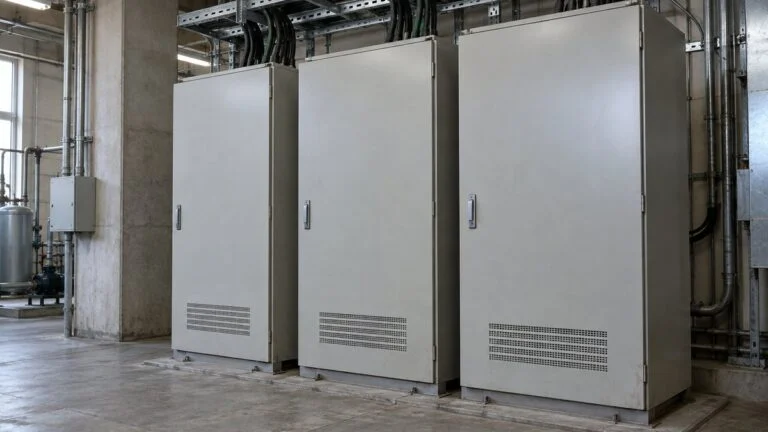
Naisen vs Gaisen: Panel Internal Wiring vs Field Wiring
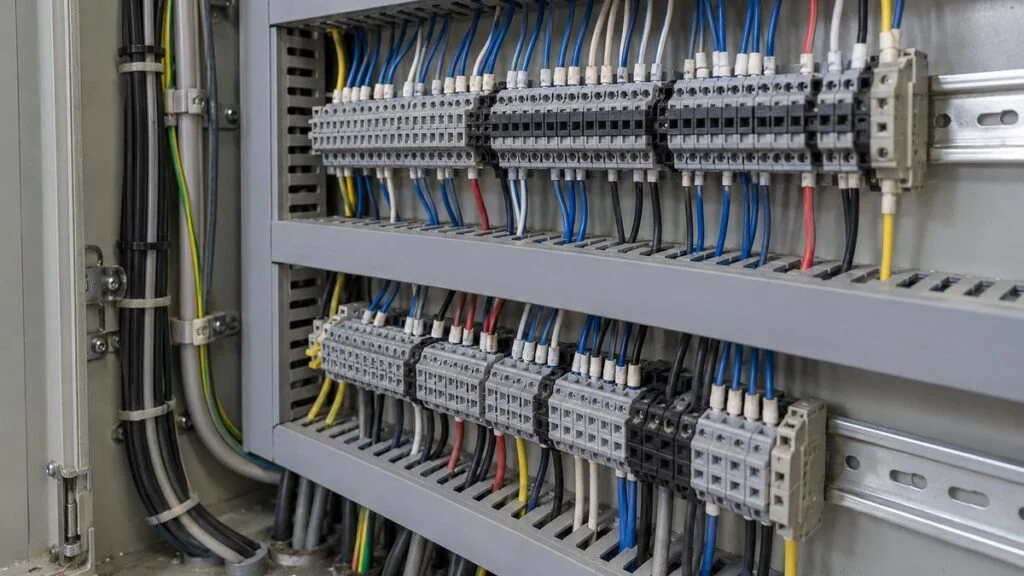
You open the electrical drawings for a control panel built in Japan, and the cable schedule or scope split uses two short words: 内線 (naisen) and 外線 (gaisen). Literally they mean "inside line" and "outside line," which says little about who wires what, what kind of wire is used, or where one ends and the other begins.
The short answer: naisen is the wiring that connects devices inside the control panel, and gaisen is the wiring that runs from the panel to sensors, operator devices, and other equipment out in the field. The terms describe where the wiring goes and what it does. They are not a rule about wire size or about whether the wire has an outer jacket.
A common layout uses individual wires between devices inside the panel and multi-core cables for the runs that leave it. If you trace the wiring at the terminal block, you can see exactly where the panel built at the factory meets the equipment wired on site. This guide covers the wire inside the panel, the cable outside it, why the two are split at the terminal block, and how to match wire numbers, terminal numbers, and cable cores on Japanese drawings. It ends with a review checklist and a list of questions for the Japanese side.
For the drawing conventions themselves, see How to Read Japanese Engineering Drawings.
Contents
- Japanese Wiring Terms You Will See
- Naisen: Wiring Inside the Control Panel
- Gaisen: Field Wiring Outside the Panel
- Why Panels Split Wiring at the Terminal Block
- Modifying Panel and Field Wiring
- Using the Drawings to Narrow Down a Fault
- Checklist: Reviewing Wiring Documents From a Japanese Supplier
- Limits of This Guide
- FAQ
- Sources
Japanese Wiring Terms You Will See
These are the terms used in this article and how they usually appear on Japanese panel drawings and documents. Usage varies by company, so treat the English column as a working translation and confirm with the supplier when a term carries scope or contract meaning.
| Japanese | Romaji | Meaning in this context |
|---|---|---|
| 内線/盤内配線 | naisen / bannai haisen | Internal (panel) wiring: device to device, and device to terminal block, inside the panel |
| 外線 | gaisen | Field wiring: from the panel to devices outside it, often the field cable itself |
| 端子台 | tanshidai | Terminal block |
| 線番号 | sen-bango | Wire number (the marker on each wire end) |
| 心線 | shinsen | Core (an individually insulated conductor inside a cable) |
| シース(外皮) | shisu (gaihi) | Sheath, the outer jacket of a cable |
| シーケンス図 | shikensu-zu | Sequence diagram (schematic showing how the circuit operates) |
| 端子配列図/接続図 | tanshi hairetsu-zu / setsuzoku-zu | Terminal arrangement drawing / connection (wiring) diagram |
| 中継箱(JB) | chukei-bako | Junction box in the field |
| 内線規程 | Naisen Kitei | Japan's wiring code for premises (JEAC 8001). Despite the name, not a panel-wiring standard; see below |
Naisen: Wiring Inside the Control Panel
Naisen, also called bannai haisen (panel wiring), is the wiring that electrically connects the devices mounted inside a control panel. A typical panel holds relays, magnetic contactors, process controllers, and a PLC that runs the control logic, and each device is wired to the others exactly as the drawings show.
Along the same signal path, the wiring is grouped differently, and the scope of work differs, between the panel side and the field side.
Conceptual diagram of what each wiring section does. It is not a real wiring diagram and does not show power, grounding, or every signal. On small screens, scroll the figure sideways.
The PLC reads its inputs, processes them, and drives relays and other devices through its outputs, so the panel wiring is the path that makes that sequence work.Knowing how PLC-based sequence control works makes it easier to see why each terminal is connected the way it is.
Related: How to Read Japanese PLC Programs: Mitsubishi X/Y/M/D
When a panel is built, the devices are mounted first and then wired according to drawings that show the control functions and connections. A sequence diagram (shikensu-zu) shows how the circuit operates, so verify which terminal each wire lands on, and where the panel connects to the outside, against the terminal arrangement drawing and the connection diagram.
What Panel Wire Is Made Of
An insulated wire has two basic parts: a metal conductor that carries current and an insulation layer around it. The conductor is often stranded (many fine strands twisted together), and common insulation materials include PVC (vinyl) and polyethylene.
Check the conductor's cross-section (which carries the current) and the insulation's specification (which keeps it electrically separate) as two separate items.
The number and size of strands are for illustration only. Construction varies by wire type. On small screens, scroll the figure sideways.
A wire you will often see in Japanese panels is KIV, a PVC-insulated wire for electrical equipment (JIS C 3316, rated 600 V or less). Even within the same product family, check the specification against the required voltage, temperature, and the terminals it must fit. "It's internal wiring, so any wire will do" is not how panel wire is chosen.
Conductor size is chosen from the ampacity needed for the load current, the voltage drop, and short-circuit protection. Ampacity also changes with ambient temperature, bundling, and installation method, so check the wire specification together with the operating conditions of the protective device.
Red, blue, black, and other insulation colors help identify circuits, but color alone does not tell you what a wire is for or whether it is safe. Check the applicable standard and the panel's wiring specification, and identify a circuit by matching its wire number to the drawings.
Terminals: "It Fits" Is Not the Same as "It's Approved"
Panel design also has to confirm that each wire can be properly connected to its terminal; a wire that physically fits is not necessarily compatible. Terminal types accept different conductors and different end preparations, so compare the device manual with the wire specification.
Omron's technical guide to terminal blocks, for example, treats screw-clamp types and spring-clamp types (including push-in) separately. Ferrules also have compatibility conditions, so do not assume that the strip length and tools specified for another model will work.
When a terminal is suspected of a bad connection, check more than loose screws. Confirm that the terminal and wire combination matches what the manufacturer specifies. Terminals that accept stranded wire without end preparation and those that require end preparation (such as a ferrule) have different requirements, even if they look alike, so one preparation method cannot be applied to both.
Strip too much insulation and bare conductor is left exposed; strip too little and the terminal can clamp onto insulation without making good contact. Check the manufacturer's strip length and specified tools, and include the finished connection in the inspection items, so that end-preparation errors and mounting errors can be found separately.
For screw terminals, check the tightening torque; for push-in terminals, check which wires and ferrules can be inserted, using the data for the actual terminal. If you want two or more wires in one terminal, the question is not whether they fit but whether that number and combination is approved.
Routing, Wire Numbers, and Ducts
Route wires with enough length, and along paths that leave room to replace devices and check terminals; that is what makes a panel maintainable. Wires that are too short strain the connections, while too much slack crammed into the panel makes wiring hard to trace, so judge the finished work by more than how neat it looks.
Wire numbers on both ends let you follow the same path on the drawing and in the panel, so keep them consistent in any section that has been modified. If a wire is added but an old number is left in place, the next person can read the drawing correctly and still connect to the wrong point.
Where wires disappear into wiring duct, do not assume that a wire entering at one point is the same wire leaving at another. Matching the connection points on the drawing with the markers on both ends makes it possible to pick out one path even in a dense bundle.
On panels with operator devices mounted on the door, some wires cross the hinge between the enclosure and the door. Being inside the panel does not put them in the same conditions as fixed wiring, so the design also has to account for wiring that is moved or pulled.
The Naisen Kitei Is Not Limited to Panel Wiring
A name that causes confusion is the Naisen Kitei (内線規程, JEAC 8001) published by the Japan Electric Association. It is a private, voluntary code covering the design, installation, maintenance, and inspection of electrical installations at customer premises. Despite "naisen" in the name, it is not a standard limited to the internal wiring of control panels described in this article.
The public summary from the Japan Electrotechnical Standards and Codes Committee (JESC) lists the approved code as JEAC 8001-2022. In practice, the requirements for a given piece of equipment come from several places: applicable laws, the standard for the electrical equipment of machines (for machinery in Japan, JIS B 9960-1, which is identical to IEC 60204-1:2016), and the customer's specification.
Gaisen: Field Wiring Outside the Panel
Gaisen is the wiring that connects the control panel to sensors, operator devices, actuators, and other equipment located away from it. On site, "gaisen" often refers to the cable run out to the field itself. Separating it from panel wiring makes it easier to agree on what the panel builder does and what the site contractor does.
Field cable has to be chosen for the environment it runs through once it leaves the panel, and being indoors does not mean it needs no protection. Check what the route exposes it to, such as heat, oil, water, and machine movement, and select the cable specification and installation method to suit.
Outdoors, the cable has to cope with rain and direct sunlight; indoors, washdown water, dust, and physical damage can be problems. Panels usually shield their contents from the outside air, but internal temperature and vibration still apply, so the environment needs checking on both sides of the panel wall.
Cable Construction: Insulation and Sheath
Many cables have a sheath (shisu, also called gaihi, outer jacket) that bundles and protects the insulated cores, in addition to the insulation on each conductor. Insulation and sheath do different jobs, so an outer jacket alone does not tell you the cable's electrical rating or its suitability for the environment.
Inside the same sheath, each core is insulated separately and identified by where it connects.
Four cores is just an example. Core count and construction vary by cable. On small screens, scroll the figure sideways.
A phone charging cable is a familiar example of wires bundled under an outer jacket, but that does not make it fit for factory wiring. Cross-sections can look alike while the required ratings and durability differ by application, so choose a product rated for industrial equipment.
Cable catalogs, such as Onamba's, show this conductor–insulation–sheath construction. The same manufacturer lists separate cables for fixed installation and for moving applications, so a thick-looking jacket is no reason to use a cable on moving equipment.
Multi-Core Cables, Core Counts, and Signal Types
When several field devices sit close together, one multi-core cable can replace a number of long individual wires. That reduces the number of runs, but the cable number and the connection diagram must record which circuit each core is assigned to.
The core count is simply the number of cores in the cable, and it does not have to equal the number of circuits or signals. A cable may also carry common lines or power lines, so do not size the core count by counting signals alone.
Depending on the signal, shielded cable may be considered to deal with noise, but not every signal necessarily goes in the same cable type. Check each signal's type and direction (DI/DO, AI/AO, and so on) against the device's wiring requirements. For how these signal types appear on Japanese I/O lists, see DI/DO, AI/AO, PI/PO Meaning: Reading a Japanese I/O List.
As the distance between panel and field grows, voltage drop caused by wire resistance and the signal transmission conditions also need checking. The label "gaisen" does not tell you the required wire size or allowable length; design from the device specifications and the actual cable length.
The type designation printed on the sheath is a clue to the cable type, but wear and dirt can make it unreadable. Compare whatever marking is visible with the equipment's cable list, and do not guess a cable's performance from its appearance when the type cannot be confirmed.
A cable laid in a fixed route and one that bends repeatedly as a machine moves need different durability. Do not judge suitability for continuous flexing by how soft a cable feels; check the manufacturer's specification, including the bending conditions.
Worked Example: Voltage Drop on a Long Field Cable
Even when the panel supplies the right voltage, current flowing through the wire's resistance lowers the voltage that reaches the field device. A sensor manufacturer's official FAQ also calls for evaluating the voltage difference and noise when a cord is extended. A continuity check alone does not show that the device will operate correctly.
For illustration, take a 24 V DC supply feeding a two-wire circuit 50 m (about 164 ft) one way, and assume each wire has a resistance of 20 Ω/km. Assume a constant current of 0.20 A, ignore terminal contact resistance and the effect of temperature on resistance, and calculate the wiring alone.
If the device's minimum operating voltage is taken as 23.0 V (another assumption), the steady-state result meets it. A real design compares the lower limit in the device specification with the worst case, including variation in the power supply output.
Now assume the same circuit draws 1.0 A, but only at startup. The resistance has not changed, yet the voltage drop grows. When a device runs normally but fails to start, do not judge from the voltage measured while it is idle; check the startup current conditions in the design as well.
When the voltage drop is too large, compare options such as shortening the run or using a larger conductor cross-section to cut resistance. Raising the supply voltage means checking the upper limits of every other device on that supply, so the supply setting cannot be changed by looking at the field device alone.
This calculation alone does not set the wire size: ampacity, protective devices, and the range of wire the terminals accept are checked separately. Communication lines and sensor signal lines also have length limits that depend on the transmission method, so enough voltage does not mean a cable can be extended.
Why Panels Split Wiring at the Terminal Block
The split exists because assembling and maintaining a panel calls for wiring that is easy to work on, while running cable to the field calls for ease of installation and fitness for the environment. Inside the panel, wiring branches to many devices and gets reconnected during replacements and modifications, so individual wires that are easy to trace are useful.
For field wiring, what matters is securing a route over a long distance and protecting the conductors and insulation inside from outside influences. Panels also contain high-current circuits, though, so "thin and flexible" cannot be a selection rule for all internal wiring.
Joining panel wiring and field wiring at a terminal block divides the work cleanly: the panel builder wires the inside, and the site contractor wires the outside. Some designs bring field cables directly to device terminals, so not every panel uses terminal blocks the same way.
The panel wire number, the terminal number, and the cable core number are not necessarily the same.
Numbers are a hypothetical example. Check the actual connections on the connection diagram for each panel. On small screens, scroll the figure sideways.
In this example, panel wire 101 lands on terminal 1 of TB1 and continues to the field on core 1 of cable C1. Keep wire numbers, terminal numbers, and core numbers distinct, and say which number on which drawing you mean; that makes maintenance discussions precise.
If a junction box in the field gathers the wiring, its terminals add one more set of numbers to match, beyond those in the panel.Knowing what the junction box does helps you trace the connection from sensor to panel as one continuous path.
Related: Junction Box (JB) on Japanese Drawings: Terminal Box Guide
On jobs involving several companies, one party may lay the cable while another terminates it. Decide up front who checks the cores and who inspects the finished connections, so that the panel side and the field side do not each assume the other one did it.
In inspection records, "field wiring fault" is less useful than the panel name, terminal block name, cable number, and the symptom you observed. Use the same notation as the drawings so that whoever reviews the wiring later can find the exact spot; that makes it easier to hand over the investigation.
When troubleshooting, the naisen/gaisen split helps organize where to look, but it does not identify the cause. If an input does not change, use the drawings to follow it from the field device through the terminal connections to the point where the panel reads the signal. Any measurements should follow a controlled procedure.
Before anyone accesses terminals inside a panel, do not assume that switching off the main disconnect makes everything dead. There may be separate supplies, feeds from outside the panel, or residual charge. Isolation, prevention of re-energizing, and verification of absence of voltage must follow the site's established procedure.
Knowing the difference between naisen and gaisen does not authorize anyone to change wiring without the required qualifications, training, and responsibility for the inspection. When production or mechanical staff look at the wiring, the goal is to report the symptom and the connection points accurately, not to try things on live equipment on their own judgment.
The purposes differ, but both need checks for electrical compatibility and connection quality.
Modifying Panel and Field Wiring
When adding equipment, do not reuse a terminal or a spare core just because it is free. Check the circuit ratings, the wiring specification, and how the circuit relates to other signals, and update the connection diagram and the markers on site so later inspections stay accurate.
After changing wiring, confirm two things separately: that each wire landed on the right terminal, and that the machine runs under the intended conditions. The connections can match the drawing while the control requirements have changed, so check consistency with the revised control logic as well as the wiring diagram.
A connection diagram and markers that let anyone follow a number from inside the panel to the field allow later staff to trace any path. Update the records whenever wiring changes, so inspections do not depend on whoever did the original work.
Using the Drawings to Narrow Down a Fault
If a sensor responds but the panel input does not change, record what the field device shows and what the panel receives as two separate facts. A lit indicator on the sensor does not prove that the output wire, the common line, and the panel's input conditions are all correct.
On the drawings, start from the sensor's device number and follow the cable number, core number, and terminal block connection in order. If there is a junction box along the way, record its terminals too, and separate the sections already confirmed from those not yet checked so that people do not re-check the same spot.
If the fault started right after a device was replaced, compare the old and new devices' terminal layout and output type using the model numbers and the connection diagram. Terminals in the same position can have different functions, so do not rebuild the connections from photos taken before removal alone.
Without stopping the equipment, gather what you can, such as when the fault occurred, the operating state, and the most recent changes, and pass it to maintenance together. Work such as disconnecting a wire for a continuity test should be done only with a defined shutdown scope and work procedure, and any temporary changes for the investigation should be tracked until they are restored and reflected in the drawings.
Checklist: Reviewing Wiring Documents From a Japanese Supplier
Use this when you receive panel drawings, a cable list, or a scope split from a Japanese panel builder or machine supplier.
- Scope split: which wiring is naisen (supplier's panel wiring) and which is gaisen (field wiring), and who lays, terminates, and inspects each field cable
- Drawing set: sequence diagram, terminal arrangement drawing, connection diagram, and cable list are all included and at the same revision
- Numbering: wire numbers, terminal numbers, cable numbers, and core numbers are all shown, and the drawings make clear which is which
- Junction boxes: their terminals appear on the connection diagram, not only the panel's terminals
- Panel wire: wire type (for example KIV) and size, checked against voltage, temperature, ampacity, and protection
- Terminals: terminal type (screw or push-in), wire range, ferrule requirements, strip length, and torque come from the actual terminal's data
- Multiple wires per terminal: allowed only where the terminal data permits that number and combination
- Door wiring: wires crossing the hinge are treated as moving wiring
- Field cable: type and rating suit the route (water, oil, sunlight, heat, washdown, dust, physical damage)
- Moving equipment: cable is rated for flexing under the actual bending conditions
- Core count: includes commons and power lines, not only signals; spare cores are listed with their status
- Signal cables: shielding and length limits checked for each signal type (DI/DO, AI/AO, communication)
- Long runs: voltage drop checked at worst-case supply voltage and at startup current
- Applicable standards: customer specification and the machine electrical standard (for example IEC 60204-1 / JIS B 9960-1) are named, not only the Naisen Kitei
Questions to Ask the Japanese Side
- Where exactly does your scope end: at the panel's terminal block, at the junction box, or at the field device?
- Who supplies, lays, and terminates the field cables, and who does the core check and post-connection inspection?
- Can you send the cable list showing cable number, type, core count, and the assignment of each core, including spares?
- Which standards and customer specifications did you apply to the panel wiring, besides the Naisen Kitei?
- What wire type and size did you use for each circuit, and what terminal types and ferrules are required?
- For long field runs, what maximum length and minimum operating voltage did you assume for each device?
- Which field cables need shielding or are rated for flexing, and how should shields be terminated?
- If we modify the wiring on site, how should we mark wire numbers and return the updated drawings to you?
Limits of This Guide
- In this article, naisen means wiring inside the control panel and gaisen means wiring between the panel and field equipment. Where a particular company or project draws the line, for example at junction boxes or for wiring between panels, should be confirmed on that project.
- Some panels bring field cables straight to device terminals with no terminal block.
- The voltage-drop example uses assumed values. It does not represent any product's specification or allowable extension length, and it does not set wire size.
- Wire types, ratings, and terminal conditions must come from the actual manufacturer's data and the standards that apply to your equipment and country.
- This article explains what to check and who decides. It is not a work instruction for wiring or for working on electrical equipment.
FAQ
Can I think of naisen as "wire" and gaisen as "cable"?
Only as a rough picture of a typical layout. Cable is also used inside panels, so it does not work as a strict material rule. Treat naisen and gaisen as terms for where the wiring runs, and confirm the actual material from the wire type on the drawings or specification.
If a cable has a sheath, can it be run outdoors?
Not on that basis alone. A sheath does not show that the cable can handle sunlight, water, temperature, and other conditions; you need to confirm it is suitable for outdoor use. Check the cable's product specification and installation method, and if it runs in conduit or other protection, design for the conditions after installation as well.
Are panel wires of the same color on the same circuit?
No. One color can be used for several circuits, so color alone does not show the same potential or the same connection point. Match the schematic with wire numbers and terminal numbers, and confirm that the drawing revision matches the markers in the panel.
Can spare cores in a multi-core cable be used freely?
No. Even a core that looks unused may be reserved for future use, connected elsewhere, or not properly insulated at the ends. The designer or the person responsible for the equipment should confirm its purpose and suitability, and after any change the core list and connection diagram should show the spare's new status.
Does the Naisen Kitei define how to wire a control panel?
Not on its own. It is a private code for electrical installations at customer premises and does not replace the connection requirements for each device inside a panel. Panel wiring is designed from the applicable laws and standards, the customer's specification, and the instruction manuals for the devices and terminals.
Sources
- Voltage drop from wire resistance, current, and length: Fujikura Dia Cable, "Voltage Drop" (Japanese). The values in the worked example are assumptions.
- Evaluating voltage drop and noise when extending a sensor cord: Aratas (formerly Omron's electronic components business), B5W-LB cable extension FAQ (Japanese). The 24 V, 50 m example does not represent this product's specification or allowable extension length.
- Scope of the Naisen Kitei and its status as a private voluntary code: JESC, "Naisen Kitei JEAC 8001-2022" (Japanese); Japan Electric Association, Naisen Kitei 14th edition (Japanese)
- JIS B 9960-1:2019 as the identical adoption of IEC 60204-1:2016: Japanese Standards Association, JIS B 9960-1:2019 preview (Japanese)
- KIV construction, conductor–insulation–sheath, fixed vs. moving cables, ampacity correction: Onamba, wire and cable general catalog (Japanese)
- KIV standard (JIS C 3316) and 600 V rating: Inaba Denko, KIV specification sheet (Japanese)
- Terminal block types and end termination: Omron, Push-In Plus terminal block overview (Japanese)
- Terminal functions and connection conditions by model: Omron, E5CC series wiring and connections (Japanese)
- Residual charge after power-off and verifying absence of voltage: Omron, G3JA-C precautions (Japanese)
- Ampacity vs. ambient temperature, number of conductors, and installation method: Fujikura Dia Cable, "Allowable Current of Wires and Cables" (Japanese)
Original article in JapaneseThis guide is adapted from a MONOSCOPE article written for readers in Japan: 制御盤の内線と外線の違い|電線・ケーブル・端子台の役割
About the editor
 MONOSCOPE EditorFOUNDER & EDITOR
Spent about ten years at a plant equipment maker and a plant engineering company, proposing, designing, and commissioning equipment, then moved into web marketing. Now a web consultant for B2B manufacturers, helping them explain their products and technology. Licensed in Japan as an Energy Manager and a Third-Class Chief Electrical Engineer.
Has run an engineering blog since 2017 (500+ articles) and a Japanese YouTube channel with about 20,000 subscribers. Each English guide is written from the Japanese shop-floor point of view and checked against the cited standards.