PFD vs P&ID on Japanese Projects: Contents and Drawing Order
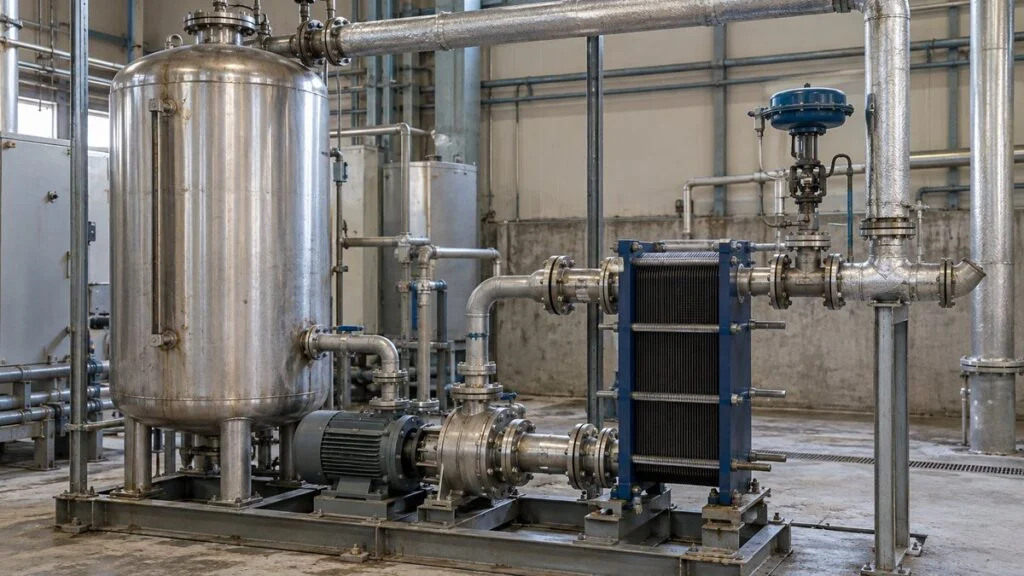
A Japanese EPC contractor or equipment maker sends you a document package. Two of the drawing sets are titled プロセスフロー図 (purosesu furo-zu, process flow diagram, PFD) and 配管計装図 (haikan keiso-zu, piping and instrumentation diagram, P&ID). The legend is in Japanese, the tags look familiar but not quite like the ISA-style tags you know, and some sheets are stamped 承認願 (shonin-negai, "request for approval"). Which one do you review for flow rates, and which one for valves and control loops?
The short answer: the PFD shows what the process does (main equipment, streams, flow rates, temperatures, pressures), and the P&ID shows how the plant is piped, measured, and controlled to make that happen. On most projects the PFD comes first and the P&ID is developed from it.
This guide explains both drawings with one simple example, compares them side by side, covers the symbol standards you may see on Japanese P&IDs (JIS Z 8204, the JIS Z 8617 series, and ANSI/ISA-5.1), and walks through the order in which drawings usually reach you from the Japanese side. It ends with a cross-check checklist and a list of questions to send to your Japanese counterpart.
Contents
- What Is a PFD (Process Flow Diagram)?
- What Is a P&ID (Piping and Instrumentation Diagram)?
- PFD vs. P&ID: Side-by-Side Comparison
- Symbols on Japanese P&IDs: JIS vs. ISA-5.1
- Drawing Order: BFD, PFD, P&ID, Then Layout and Isometrics
- Cross-Checking the PFD and P&ID by Equipment Number
- Checklist: Reviewing a PFD and P&ID from a Japanese Supplier
- Questions to Ask the Japanese Side
- Where Practice Varies
- FAQ
- Sources
What Is a PFD (Process Flow Diagram)?
A PFD shows the main process steps from raw materials to product. It links the major equipment with flow lines and tells you what the plant processes and how much. Before anyone draws individual manual valves or detailed instrumentation, the process designer uses the PFD to settle the sequence of operations, such as mixing, heating, and separation. It is an early process-design document, and it becomes the basis for the P&ID.
Each flow on a PFD is called a stream. Every stream gets a number, and that number links it to its flow rate, temperature, pressure, and composition. Some PFDs print these values directly on the drawing. Others carry them in a separate stream table or in mass and heat balance documents.
Figure 1: PFD and Stream Table for a Mixing Step
A fictional example in which an aqueous solution is diluted with water. The circled numbers are stream numbers that link each flow to its values. They are not pipe specifications.
| Stream | ① Aqueous solution | ② Water | ③ Mixed liquid |
|---|---|---|---|
| Mass flow rate | 1,000 kg/h | 500 kg/h | 1,500 kg/h |
| Solute mass fraction | 10% | 0% | about 6.67% |
Assumes steady state, no reaction, and no losses. A real PFD also lists temperature, pressure, and other conditions the design needs.
Figure 1 shows the mixing step with only the main equipment and the flows. There are no valves on it, but you can still see that the step has two inlets and one outlet. With stream numbers and mass flow rates, you can check that the numbers balance. At steady state, with nothing accumulating in the tank and no reaction or losses, the outlet mass flow equals the sum of the inlets.
In this example, 100 kg/h of solute enters and leaves with the mixed liquid. Checking the total mass balance and the component balance separately tells you more than the outlet concentration alone. For steps with temperature conditions, you add a heat balance on top of this; a heat exchanger balance is a typical case where flow rate and temperature set the heater duty.
Related: kcal/h to kW, BTU/h, and Tons: Chart for Japanese Specs
A stream table does not cover every operating condition. Check which design case the values belong to (for example, normal production or maximum production), the flow basis, and the temperature and pressure conditions, and read them together with the matching calculation sheets. If the flow changes between normal and maximum production, the required heating duty and pump capacity change too. When PFD values are passed into equipment specifications, stating the design case avoids rework later.
Watch for mixed-up mass and volumetric flows. If the liquids have different densities, you cannot add volumetric flows to check the mass balance. Convert them to the same basis first. Pipe size is not set by flow rate alone either; it also depends on velocity and pressure drop. The PFD supplies those inputs, and the P&ID and piping specifications carry the details forward.
PFDs are also useful for training operators and for explaining the plant to the owner. If you grasp the overall process order first and then move to the P&ID, you can place each valve and instrument in the context of the process.
What Is a P&ID (Piping and Instrumentation Diagram)?
A P&ID, called 配管計装図 (haikan keiso-zu) in Japanese, adds the instruments and valves that monitor and control the flow to the piping that connects the equipment. Designers use it to work out the piping and control arrangement the process needs. Operations and maintenance staff use the same drawing to see where a fluid goes and which valves and instruments act on it.
Figure 2: Tracing Process Fluid and Control Signals on a Heater P&ID
A fictional example: the outlet temperature is measured, and the steam inlet valve is adjusted. Piping and signals use different line types.
Equipment, tags, and line types are a simplified, fictional example. This is not a construction drawing and does not show a real plant's legend, instrument details, or safety design.
In Figure 2, the liquid enters from the left, picks up heat from the steam in the heater, and leaves on the right. The controller receives the outlet temperature signal and sends an output signal back to the control valve on the steam inlet. If you follow only the liquid piping, you miss the mechanism that raises or lowers the steam flow. Trace the fluid path and the signal path separately, and you can see which measurement acts on which valve.
"More steam when the temperature is low" is a design assumption for this example. Do not infer the real controller action (direct or reverse) or the valve's position on signal loss from the arrows on the drawing; check them against the control specification.
What a P&ID Shows
A P&ID covers the main equipment plus the auxiliary systems needed for operation and protection. The project's drafting standard sets the exact scope, but typical items include:
- Equipment names and numbers, and the flow direction of the piping that connects them
- Line numbers, pipe sizes, and specifications such as material and pressure class
- Manual and automatic valves, their types and tag numbers, and bypass connections
- Instrument tag numbers, measurement points, control loops, and signal connections
- Safety and protection systems, drains and vents, and the utilities required
A line number identifies each pipe and links the drawing to the line list. Some projects build the size and material into the line number; others keep them in separate fields or lists. On Japanese drawings, sizes are often given as JIS nominal sizes such as 50A (millimeter series) rather than NPS. A nominal size is not the wall thickness; to break down a line spec, you also need to know how the schedule number relates to wall thickness for that size. See our JIS pipe schedule and thickness chart for how to read both.
If you see a safety valve symbol, trace where that equipment relieves its pressure.
Related: Full-Bore vs Lift-Type Safety Valves: JIS Terms Explained
A signal line shows which measurement drives which output. It usually does not show terminal numbers or cable cores. When the wiring is designed, the signal types (DI/DO, AI/AO) are checked against the I/O list and wiring diagrams; see reading a Japanese I/O list. The P&ID layout is also a starting point for DCS (distributed control system) screens, but operator screens are designed around alarms and usability, so they are not a direct copy of the drawing. Drafting tools such as Microsoft Visio and the AutoCAD Plant 3D toolset can do more than place symbols: their tag and piping data features can also help generate the related lists.
PFD vs. P&ID: Side-by-Side Comparison
Figure 3: What Each Drawing Shows and What It Is For
The same plant at two levels of detail: the conditions that make the process work, and the piping and instrumentation that carry it out.
| Item | PFD | P&ID |
|---|---|---|
| Japanese name | プロセスフロー図 (purosesu furo-zu) | 配管計装図 (haikan keiso-zu) |
| When it is made | Basic design, to define the process | Developed from the PFD and updated throughout design |
| Equipment and piping | Main equipment and main flows | Piping, valves, and instruments needed for operation |
| Numbers and IDs | Flow rate, temperature, pressure, composition; stream numbers | Pipe size, specs, line numbers, instrument tags |
| Main use | Process studies, mass and heat balances, sizing main equipment | Piping and instrumentation design, operation and maintenance planning |
| Read together with | Mass and heat balance calculations, equipment specifications | Plot plan, isometrics, wiring diagrams, control specifications |
A general comparison. The project's standard decides what goes on each drawing and where the information is kept. Scroll the table sideways on small screens.
The core difference is the question each drawing answers. The PFD tells you what the raw material passes through and what it becomes. The P&ID tells you which pipes, valves, and instruments make that happen. Drawing a PFD at a larger scale does not turn it into a P&ID; the detailed design adds a separate layer of information: manual operation, measurement, control, and protection.
A control loop on a P&ID is not the full control program either. The order in which a PLC executes steps is defined in the sequence logic and the individual control specifications.
Symbols on Japanese P&IDs: JIS vs. ISA-5.1
Before you trace any line, check the drawing number, revision number, and the area the sheet covers, then open the legend sheet, 凡例 (hanrei). Once you know what each line type means, you can follow the process from inlet to outlet, including branches and connections to other sheets.
Figure 4: Matching Lines and Tags to the Legend
Read the line type and the instrument function separately, then connect them through the shared loop number.
The line types here are this article's legend only. Real drawings use the project's legend for electrical, pneumatic, and other signal lines.
In Figure 4, TT is a temperature transmitter and TIC is a temperature indicating controller; 101 ties them to the same loop. Several standards cover these symbols, and a Japanese P&ID may draw on more than one:
Related: How to Read P&ID Instrument Symbols: ISA-5.1 vs JIS
- JIS Z 8204 (計装用記号, instrumentation symbols), 1983 edition. The Japanese standard for showing measurement and control functions on process diagrams in plants such as chemical, steel, and petroleum refining. It lists ISO 3511-1:1977 as its corresponding international standard. It uses letter codes (F flow, P pressure, T temperature, L level; I indicate, C control, A alarm) in a circle with the loop number below, and a horizontal line through the circle for a control-room instrument.
- JIS Z 8617 series (ダイヤグラム用図記号, graphical symbols for diagrams). Fifteen parts covering valves, pumps, heat-transfer equipment, measurement and control devices, and more. Part 1 (2008) is identical (IDT) to ISO 14617-1:2005.
- ISO 10628. Part 1 covers the types and content of flow diagrams for process plants; Part 2 covers graphical symbols for the chemical and petrochemical industry.
- ANSI/ISA-5.1. The US standard for instrument symbols and identification that most English-speaking engineers know. The 2024 edition renamed it "Instrumentation and Control Symbols and Identification."
The basic tag logic (measured variable first, then function letters, then loop number) is familiar across these standards, so many Japanese tags will look familiar if you know ISA-5.1. The details are where you get caught: which letters are allowed in which position, how line types for electric, pneumatic, and software signals are drawn, and company-specific symbols. JIS Z 8204 dates from 1983, and companies and projects layer their own drafting rules on top of whichever standard they cite. Do not assume a dashed line or a letter means what it means on your home projects. Read the cited standard together with that drawing's legend.
Japanese Labels You Will See on PFDs and P&IDs
| Japanese | Romaji | English |
|---|---|---|
| 配管計装図 | haikan keiso-zu | P&ID |
| プロセスフロー図 | purosesu furo-zu | PFD |
| ブロックフロー図 | burokku furo-zu | Block flow diagram (BFD) |
| 凡例 | hanrei | Legend |
| 機器番号 | kiki bango | Equipment number |
| ライン番号 | rain bango | Line number |
| 計器番号 | keiki bango | Instrument tag number |
| 調節弁 | chosetsu-ben | Control valve |
| 手動弁 | shudo-ben | Manual valve |
| 安全弁 | anzen-ben | Safety valve |
| ドレン / ベント | doren / bento | Drain / vent |
| 物質収支 / 熱収支 | busshitsu shushi / netsu shushi | Mass balance / heat balance |
| 改訂 | kaitei | Revision |
Drawing Order: BFD, PFD, P&ID, Then Layout and Isometrics
In general, design moves from a block flow diagram (BFD) to the PFD and then to the P&ID, before it reaches layout and construction drawings. A BFD shows groups of process steps as boxes and arrows.
Figure 5: One Process, Four Deliverables
Each step adds information: process order, then flow conditions, then piping and instrumentation, then real dimensions.
Design does not run in one direction only. Changes in layout or equipment specs are fed back to the earlier drawings.
After the BFD sets the overall process blocks, the PFD defines the main equipment and operating conditions. The P&ID then adds valves and instruments: what to measure and what to adjust to run the process. The plot plan fixes equipment positions, and piping plans and isometric drawings show the real routes and dimensions. An isometric drawing shows a pipe run in 3D view, with lengths and fittings for fabrication and installation.
A line drawn long on a P&ID does not mean the pipe in the field is long. Use drawings that show connections and drawings that show dimensions for their own purposes, and you avoid misreading part locations or the installation scope. If equipment selection or layout changes the design, the PFD and P&ID are revised again. The order describes how design information gets more detailed, not a promise that each drawing is final the first time.
How These Drawings Reach You from the Japanese Side
The exact flow depends on the contract, but a typical pattern on Japanese plant and equipment projects looks like this:
- Quotation stage: a PFD or a simplified flow diagram may come with the quotation specification, showing the process and the main equipment the supplier is proposing.
- Approval stage: after the order, the P&ID (and often an updated PFD and heat and mass balance) is submitted with the other drawings marked 承認願 (shonin-negai). The buyer reviews them and returns them with approval stamps or red markups. See approval drawings (shonin-zu) for the return codes and how the review loop works.
- Revisions during detailed design: comments, HAZOP results, and vendor data come back into the P&ID as new revisions. Each issue should carry a revision number and a stated purpose.
- Construction and handover: a construction issue (often called "Issued for Construction" on international projects) is followed, after field changes, by as-built drawings, 完成図 (kansei-zu), in the completion documents.
For a packaged unit, the supplier's P&ID usually covers its own scope of supply. Find where its lines end and your piping begins (the interface or terminal points), and check that against the delivery specification. See delivery specifications (nonyu shiyosho) and who supplies the mating flange.
Cross-Checking the PFD and P&ID by Equipment Number
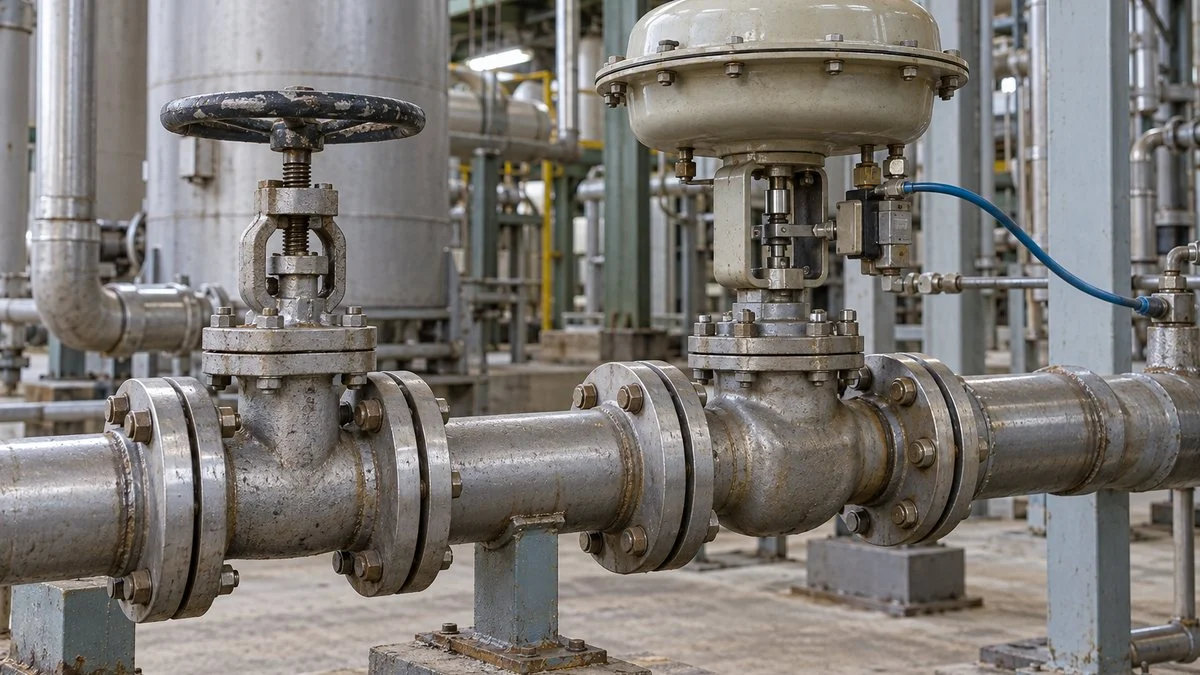
When you compare drawings, go by the equipment number, not by how the sheets look. Confirm that E-101 on the PFD is the same heater as E-101 on the P&ID, then trace its inlet and outlet connections. Next, check that the flow and temperature conditions have been carried correctly into the equipment specification. If the liquid flow to the heater went up but its duty did not, the temperature target may not be met, and the sizing needs another look.
When you find a mismatch, record the equipment number, the line, and the revision numbers together. "The drawings don't match" is hard to act on. A specific note such as "Stream 3 goes to the product tank on PFD Rev. B but to another system on P&ID Rev. C" (a fictional example) lets the designer find the cause. In a case like that, confirm the destination first. Separate simple naming inconsistencies from real connection changes, and judge against the approved specification.
On the instrument side, follow each measurement tag together with the tag of the valve it drives. Small branch lines such as drains, vents, and bypasses are easy to miss because they sit off the main product flow. They still matter: operators use them during startup, shutdown, and inspection.
Related: 4-20 mA vs 1-5 V: Why Japanese Panels Use 250 Ω Inputs
A block valve on a P&ID does not by itself mean the equipment can be isolated safely for work. Isolation conditions, including stored energy and residual pressure, are controlled through the site's approved work procedures and permit-to-work system, not by the drawing.
Checklist: Reviewing a PFD and P&ID from a Japanese Supplier
- Each drawing's number, revision history, and issue purpose (for review, for approval, for construction, as-built) are checked, and the drawings you compare show the same design state
- The legend sheet (hanrei) is included, and the symbol standard is named (JIS Z 8204, JIS Z 8617, ISA-5.1, or a company standard)
- Every equipment number on the PFD appears on the P&ID, and each one refers to the same equipment
- Stream values on the PFD state the design case (normal, maximum, minimum) and the flow basis (mass or volume)
- Mass balance closes for each piece of equipment in the stream table
- Pipe sizes are given as JIS nominal sizes (A or B) and the schedule or wall thickness is stated, or the line list is attached
- Each control loop has a measurement tag, a controller, and a final element with matching loop numbers
- Valve fail positions and controller action are defined in the control specification, not just implied by arrows
- Relief valves show where they discharge
- Drains, vents, bypasses, and utility connections are shown
- Interface (terminal) points between the supplier's scope and yours are marked
- Your comments from the previous revision were incorporated or answered
Questions to Ask the Japanese Side
Short, specific questions get faster answers. You can adapt these for an email or a review comment sheet:
- Which symbol standard does this P&ID follow: JIS Z 8204, the JIS Z 8617 series, ISA-5.1, or your company standard? Could you send the legend sheet (hanrei) in English or bilingual form?
- Which design case do the PFD stream values represent? Are flows on a mass or volume basis?
- Is the heat and mass balance on this PFD the latest revision, and does it match the equipment specification for E-101?
- What is the issue purpose of this revision: for review, for approval, or for construction?
- What changed from the previous revision? Are changes marked with revision clouds or listed in a revision table?
- Where are the terminal points between your scope and ours on this P&ID?
- What is the fail position of TV-101, and where is the controller action defined?
- When will the as-built P&IDs (kansei-zu) be delivered, and in what format (PDF, native CAD)?
Where Practice Varies
What goes on a PFD or P&ID depends on the company, industry, and project. Some PFDs show key control loops; some P&IDs carry line specs in the line number while others keep them in a line list. The names in Japanese also vary: some companies use other titles for the same kinds of drawings, so check the drawing list rather than relying on the title alone. The approval flow above is a common pattern, not a rule. The contract and the project's document procedure decide who approves what and when. The figures in this article are simplified, fictional examples, not designs to build from. Whether you are drawing or reading a PFD or P&ID, decide first what the drawing is for; that is the simplest way to avoid missing or misreading information.
FAQ
Does a PFD Show Valves and Controls?
Not in full. A PFD is for understanding the main process, so it does not try to show every manual valve. It may show controls that are essential to the process. The project's drafting standard sets the scope.
Is PID Control the Same as a P&ID?
No. PID control is a control method that uses proportional, integral, and derivative action. A P&ID is a piping and instrumentation diagram. A P&ID can show a control loop, but the control algorithm and the drawing type are separate things.
Can You Build the Piping from a P&ID Alone?
No. The P&ID gives you connections and specifications. Positions and dimensions for construction come from the plot plan, piping plans, and isometrics. Do not estimate lengths or elevations from how lines look on a P&ID.
Do Japanese P&IDs Use ISA Symbols?
Sometimes, but not always. Japanese projects may cite JIS Z 8204, the JIS Z 8617 series, ISA-5.1, or a company standard. Tags usually follow a similar letter-and-loop-number pattern, but line types and some symbols can differ. Always read the drawing's own legend.
Should I Read the PFD or the P&ID First?
To understand the whole process, start with the PFD and follow the raw materials through to the product, then move to the P&ID. To look up a specific instrument or valve, use its equipment or tag number to open the right P&ID sheet. If you compare sheets, make sure their revisions show the same design state, because different revision numbers may mean before-and-after versions of the same equipment.
Sources
- JIS Z 8204:1983 Instrumentation symbols (Japanese, text reproduction)
- JIS Z 8617-1:2008 Graphical symbols for diagrams, Part 1 (Japanese, text reproduction)
- ISO 10628-1:2014 Diagrams for the chemical and petrochemical industry, Part 1: Specification of diagrams
- ISO 10628-2:2012 Diagrams for the chemical and petrochemical industry, Part 2: Graphical symbols
- ISA: ANSI/ISA-5.1-2024 Instrumentation and Control Symbols and Identification
- Automation.com: ISA updates ISA-5.1 (October 2024)
- Project Materials: BFD, PFD, and P&ID in EPC projects
- US Department of Energy: Engineering Symbology, Prints, and Drawings handbook (DOE-HDBK-1016/1-93)
- UK HSE: The safe isolation of plant and equipment (HSG253)
- Yokogawa: ISA-101 and HMI design
- Autodesk: P&ID and PFD software, AutoCAD Plant 3D (Japanese)
- CS Odessa: Official PFD drafting video (ConceptDraw)
- Yokogawa: Single-loop controllers, measurement inputs and control outputs
- Microsoft: Create a P&ID or PFD in Visio
Original article in JapaneseThis guide is adapted from a MONOSCOPE article written for readers in Japan: P&IDとPFDの違いとは?記載内容の比較と図面ができる順番
About the editor
 MONOSCOPE EditorFOUNDER & EDITOR
Spent about ten years at a plant equipment maker and a plant engineering company, proposing, designing, and commissioning equipment, then moved into web marketing. Now a web consultant for B2B manufacturers, helping them explain their products and technology. Licensed in Japan as an Energy Manager and a Third-Class Chief Electrical Engineer.
Has run an engineering blog since 2017 (500+ articles) and a Japanese YouTube channel with about 20,000 subscribers. Each English guide is written from the Japanese shop-floor point of view and checked against the cited standards.