Retrofit Machine Monitoring on Older Japanese Machines
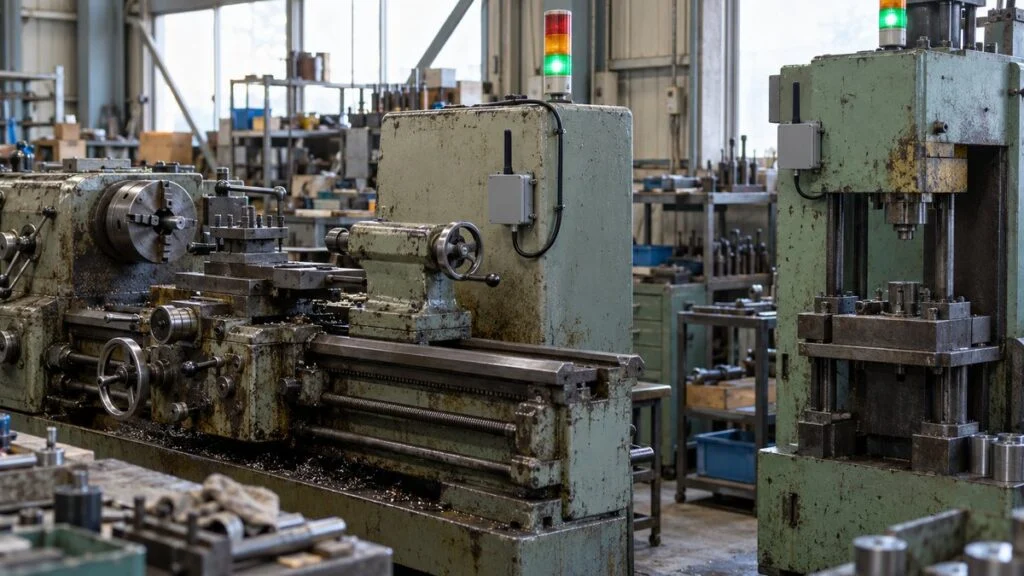
Your plant in Ohio, Pune, or Rayong runs Japanese lathes and presses that are 20 or 30 years old. They still make good parts, but they have no network connection, and the Japanese parent company now wants mieruka (見える化, "making things visible"): uptime, downtime, and OEE for every machine. Replacing the machines is not an option.
You can usually get that data by retrofitting sensors and a data collection unit. Old machines still give off signals that show they are running: the stack light, the motor current, a relay inside the control panel, or a cylinder that moves once per cycle. This guide covers which data to collect first, five steps to a working retrofit, seven ways to pick up the signal, the hardware and network layers, and the safety, warranty, and security checks to settle before anyone opens a panel. It ends with a checklist and a list of questions for the Japanese machine builder.
Contents
- Start With Three Data Points: Machine State, Stop Reason, Part Count
- Five Steps to Retrofit Data Collection
- Step 3: Choose a Signal Method (Seven Options)
- Step 4: Set Up the Hardware and Network
- Safety, Warranty, and Security Checks Before Installation
- Step 5: Pilot One Machine, Then Expand
- Pre-Installation Checklist
- Questions to Ask the Japanese Machine Builder
- Limits of This Guide
- FAQ
- Sources
Start With Three Data Points: Machine State, Stop Reason, Part Count
For a first retrofit, three kinds of data are enough: the machine state (running, stopped, or alarm), the reason for each stop, and the part count. Detailed data such as temperature or vibration waveforms can wait until these three show you where and why the machine stops.
Together, the three give you the basis for two OEE factors: availability and performance. Leave one out and the picture stays incomplete. With states but no stop reasons, for example, you know how long the machine stood still but not why.
Collect data available from machine signals automatically. Collect what only people know, such as the reason for a stop, by manual input.
Note: Quality rate also needs a reject count. In early retrofits, plants usually take it from inspection records or daily production reports.
Define the Three States in Writing
"Running," "stopped," and "alarm" mean different things on different machines. Green, yellow, and red on a stack light do not always map to those three states. On one machine yellow means "changeover in progress"; on another it is an early warning that material is running low.
Before you collect a single signal, write down which conditions count as "running." Decide at the same time whether idle time, when the power is on but the machine is not cutting, counts as stopped.
Let Operators Choose the Stop Reason
Machine signals tell you that a machine stopped, not why. Waiting for material, changeover, and a breakdown all look like the same "stop" at the signal level.
The practical approach is to have the operator pick a reason on a terminal or button next to the machine. The machine supplies the downtime and part count; people supply only the reason. Make the reason list detailed enough that most stops do not end up under "Other."
Related: OEE and the 7 Big Losses vs. Six Big Losses in TPM
Count Parts From a Motion That Happens Once per Cycle
To count parts, find a motion that happens exactly once for every part made.
A guide from Japan's Information-technology Promotion Agency (IPA) describes how the Japanese manufacturer Asahi Tekko does this. It retrofits photoelectric sensors or reed switches (switches that react to a magnet) to motions that occur once per cycle, such as a door opening and closing, a cylinder stroke, or a shaft rotation.
The number of pulses (rising edges of the signal) is the part count, and the time between pulses is the cycle time. And if a pulse does not arrive when it should, you can treat the machine as stopped. That is the strength of this method: one counting sensor also measures downtime. For more on how one-shot pulses differ from held signals, see Pulse vs Status Signals.
Five Steps to Retrofit Data Collection
Retrofit projects that start by choosing sensors tend to go wrong. Decide the purpose and the target machine first, survey the signals the machine already has, and only then choose a signal method and hardware.
Hardware comes third. First decide why you need the data and which machine to start with.
Note: Before Step 4, confirm the plan with whoever will work inside the panel and with the machine builder (see the safety section below).
Step 1: Set the Goal and Target Machine
Start with a number you want to change, such as "cut overtime" or "halve stops at the bottleneck." The goal tells you which machine to start with and how detailed the data needs to be.
Choose machines that cannot keep up with demand, bottleneck processes, or machines whose stops hold up everything downstream. The IPA guide also notes that you do not need sensors on every machine: for a line, place them as close to the last process as you can. If you only need line output, one count at the exit is often enough.
Step 2: Survey the Signal Sources on the Machine
Next, check on the floor which signals the target machine still has. Even old machines rarely have no running signal at all. Look at these six places.
What is available decides which signal methods you can use.
Note: Check the inside of the panel from drawings without opening the door, or ask your electrical maintenance staff to check it.
Also find out whether you still have the machine's instruction manual, electrical drawings, and PLC program. Without drawings, taking signals from inside the panel gets much harder. Whether documents exist matters as much as the signals themselves.
On Japanese machines, these documents are often only in Japanese. The I/O list tells you which input and output points exist (see DI/DO, AI/AO, PI/PO: Reading a Japanese I/O List), and the ladder program shows what each point means (see How to Read Japanese PLC Programs).
Step 3: Choose a Signal Method (Seven Options)
There are seven main ways to get running data from an old machine. You do not have to pick just one per machine. Plants commonly combine them, taking the state from the stack light and the part count from a sensor, for example. The table below compares all seven, and each one is covered after it.
The easier the method, the less it tells you. Methods that tell you more need more from the machine.
Note: Ratings are general tendencies compiled by MONOSCOPE and vary with machine model and product. Even methods with no panel work may need electrical work, for example to supply power.
Read the Stack Light
A stack light on top of the machine exists to tell people its state, so reading it as data is one of the easiest methods. Some products stick light sensors on the outside of the lamp; others build a transmitter into the stack light unit.
Patlite's AirGRID WD series is an example of the built-in type: a transmitter built into the stack light wirelessly collects how long each light is on, flashing, or off. Built-in transmitters only fit specific stack light models, though. For transmitters that fit some of its older models, Patlite notes that part of the wiring must be changed to supply power to the transmitter. Even "just stick it on" or "just mount it" products need a check of compatible models and power supply in advance.
The weakness is detail. A stack light shows only the handful of states the machine builder chose. It cannot tell you the part count or stop reason, and it is no use on machines that have no stack light.
Take Signals From Spare Relay or PLC Contacts
Control panels often contain relays or PLC outputs that show "running," "alarm," or "cycle complete." With this method, a spare contact (aki setten, 空き接点) on one of them is wired to a contact input on the data collection unit. Spare contacts are usually dry (voltage-free) contacts; see Dry Contact vs Wet Contact for how Japanese specs describe them, and COM terminals for how they are grouped on terminal blocks.
You get finer states than a stack light gives you. But because the work changes wiring inside the panel, it requires someone who can read the electrical drawings and a person qualified for that work. Confirm what each contact means from the drawings or the PLC program. For a comparison of the PLC makers you will meet on Japanese machines, see Mitsubishi vs Keyence vs Omron vs Siemens.
Judge Running State With a Clamp-On Current Transformer
This method measures the current flowing through a motor or heater and determines the operating state from the current level. Current is high during machining, low while idle, and near zero when stopped, so two thresholds separate running, idle, and stopped. It works well on machines that have neither a stack light nor drawings.
A clamp-on current transformer (CT) measures current simply by clamping around a conductor. MG Co., Ltd., a Japanese sensor maker, lists two advantages for its clamp-on sensors: no wires need to be cut, so they can be installed without shutting off power, and no panel mounting is needed, so existing equipment does not have to be modified.
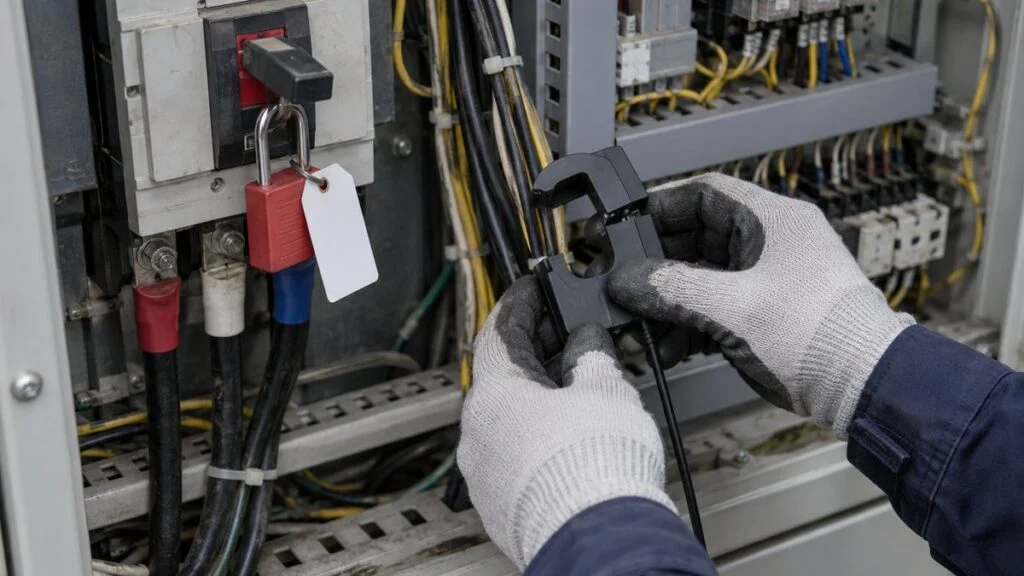
Not cutting wires does not make the work safe, however. The conductors usually run inside a control panel or terminal box, so the work happens close to live parts. A qualified person should decide on and carry out the installation under your site's de-energizing and lockout/tagout rules.
Some CT types can also develop a high voltage if current flows through the conductor while the secondary (output) side is open, so read the warnings in the product manual. Set the thresholds only after measuring actual machining and idle current for a few days.
Use a Vibration Sensor
A vibration sensor mounted on the machine body or near a bearing judges running state from whether the machine vibrates and how much. It can often be installed without opening the panel, and it works on machines where current is hard to measure.
Vibration data has a second use: it shows changes in the condition of rotating parts. That makes it a candidate for machines where you may later want to look for early signs of failure.
Count Parts With a Counter Signal or Sensor
If the machine has a part counter, you can sometimes split off its input signal. If it does not, add a sensor to a part that moves once per cycle, as described above, or at the discharge point.
The count means different things depending on whether only good parts or rejects too pass the sensor. Decide what counts as one part before you choose the sensor position, and you avoid numbers that do not match later.
Read the Existing PLC Over a Network
If the machine has a PLC with a communication port, you can read the PLC's internal data over a network. Mitsubishi Electric, for example, has PLC models that support SLMP, a communication protocol that also supports the older MC protocol. An external device connected over Ethernet can collect and change data in the CPU module.
Some data collection gateways support several PLC brands and read the PLC's device memory (I/O states, data registers, and so on). Contec's M2M Gateway series, for example, lists support for PLCs from Mitsubishi Electric, Omron, JTEKT, Panasonic, and Keyence, and for Modbus devices.
This method gives you the most information. But older PLCs bring obstacles: no communication module, a model missing from the gateway's support list, or a program nobody understands, so you do not know which data to read. Check the PLC model and whether it has a communication module before you decide. On Mitsubishi PLCs, the data you want usually sits in devices such as X, Y, M, and D; the PLC program guide explains how to find them.
Connecting to the PLC of a running machine can also affect control. You may need to add a communication module, change communication settings (parameters), or even change the program, and all of these touch the control of a production machine. Before connecting, agree that the external device will only read data and will be configured not to write, and that polling will not be too frequent. Confirm this with the person who manages the PLC program and with the machine builder.
Read Displays and Gauges With a Camera
Values that people read by eye, such as pressure gauges, thermometers, and machine displays, can be photographed by a camera and turned into numbers by image analysis. Hitachi Systems, for example, offers a service that reads analog meters with off-the-shelf network cameras and says the cameras can be installed without plant renovation or stopping equipment.
You avoid touching the machine, but changes in lighting, reflections, and a dirty lens can make readings unstable. This method suits recording values that operators used to read on inspection rounds better than it suits judging running state.
Step 4: Set Up the Hardware and Network
Once you have chosen how to pick up the signals, build the system that collects and delivers the data. Whichever maker's products you use, a retrofit system has roughly the five layers shown below.
From sensor to screen, data passes through five layers.
Note: Some products bundle the transmitter, receiver, and software, so the layers are harder to see.
Choose the Data Collection Unit
At the center of the system is the data collection unit, which receives sensor signals and turns them into time-stamped data. IoT gateways, remote I/O (devices that connect distant inputs and outputs over a network), and wireless transmitters for stack lights all fall into this group.
Check that it has enough contact inputs and analog inputs, whether it can talk to your PLC, and what formats it can send upstream. If you plan to bring in analog signals from existing instruments, check the input type as well; Japanese panels may convert 4–20 mA signals to 1–5 V across a 250 Ω resistor (see 4-20 mA vs 1-5 V). Upstream protocols include MQTT, OPC UA, and Modbus TCP, and whether your dashboard or system can receive that format is often what decides the choice.
Choose the Network
Plant data travels over wired or wireless networks. There is no single right answer; choose based on machine layout, data volume, and the network you already have.
Choose by data volume and by how far and how easily you can run cable to the machine.
Note: General tendencies compiled by MONOSCOPE. For wireless, survey the radio environment before you commit.
Private 5G (called "local 5G" in Japan) is a 5G system that a company builds for its own buildings or site; licensing rules differ by country. If all you need is machine status, start with wired LAN, existing wireless, or the dedicated wireless that comes with the product, and consider private 5G when video or other high-volume data arrives.
Decide Where to Store and Display the Data
Store the data on a PC or server in the plant, or in the cloud. At first, CSV export that opens in a spreadsheet is enough to total downtime and draw a Pareto chart.
Once the team uses the data routinely, consider linking it to an MES (manufacturing execution system), which handles work orders and production records. Do not try to plug into a big system from day one. Get to the point where your own team can see the data first.
Safety, Warranty, and Security Checks Before Installation
A retrofit means modifying machines that are already in production. Easy-to-install products are now common, but skipping checks on safety, the machine warranty, and the network can lead to injuries, machine malfunctions, and security problems. Settle the nine points below before anything is installed. This section lists what to check and who decides; it is not a work procedure.
Check safety, warranty, and security before work starts.
Note: For wiring methods and work procedures, follow the machine builder's documents and your site's work standards.
Panel Work Belongs to Qualified People Under Site Rules
Taking a signal from a spare contact, installing a CT, or powering the collection unit from the panel all bring someone close to live parts inside a control panel. There is a risk of electric shock, and touching the wrong terminal can make the machine malfunction or stop.
Who may do this work, and how, is set by the electrical rules of the country where the machine sits and by your site's electrical safety program. In Japan, for example, the Electricians Act requires a licensed electrician for many kinds of electrical work and exempts only the minor tasks listed in Article 1 of the Act's enforcement order, such as connecting cords to plug connectors or switches used at 600 V or less, screwing wires to the terminals of electrical equipment, and fitting or removing fuses. Do not let anyone decide on the floor that tapping a signal wire or taking power from the panel is "minor." Ask your electrical maintenance lead or responsible electrical engineer, and have qualified people do the work under your de-energizing and lockout/tagout rules. "We are not cutting any wires" and "it only takes a few minutes" are not reasons to skip those steps. Treat retrofit work the same way as any other maintenance work in the panel.
Check Warranty and Safety Functions With the Machine Builder
Adding wiring or parts inside a panel can count as modifying the machine. For machines under warranty or a service contract, talk to the builder or dealer first; it prevents disputes later. Japanese builders often handle overseas service through a local subsidiary or agent, so find out who that is before you ask.
Safety functions such as emergency stops and interlocks (which keep the machine from running while a safety door is open) need the most care. As a rule, do not take signals from safety-related circuits. If you really need one, leave the decision to the machine builder. For reading interlock logic on Japanese drawings, see Interlock Circuit Diagrams.
Separate the Network and Change Default Passwords
Once a data collection device is on a network, the machine can become an entry point for a cyberattack.
Japan's Ministry of Economy, Trade and Industry (METI) issued its Cyber/Physical Security Guidelines for Factory Systems as Ver. 1.0 in November 2022 and published Ver. 1.1 in April 2025; an English version is available. The guidelines group areas with similar work and importance into "zones," such as control systems and office (OA) systems, and plan security measures zone by zone.
For a retrofit, the starting point is to design the machine network separately from the office network and the internet. Change the default IDs and passwords on gateways and wireless devices when you install them; the METI guidelines also list the ability to change default IDs and passwords as a security criterion for delivered equipment. If data goes to the cloud, decide the route to the outside together with your IT team.
Step 5: Pilot One Machine, Then Expand
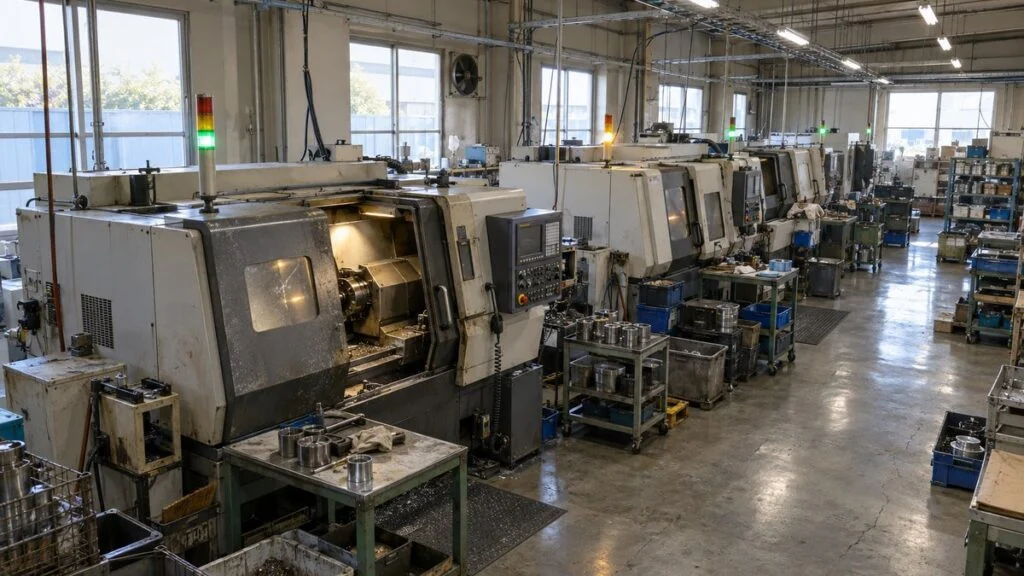
Even with the hardware decided, do not fit every machine at once. Pilot one machine or one line, fix detection errors and operating problems, and then expand. That gets the whole plant covered sooner. The fictional plant below shows how this can look.
Example: A Fictional Metalworking Plant
Picture a metalworking plant with about 50 employees, eight CNC lathes, and four old mechanical presses. Running time is tracked on paper daily reports. Month-end totals suggest the presses are behind late deliveries, but nobody knows where they stop.
The plant starts with one press, since the presses are the bottleneck. The press has no stack light, so a sensor on a part that moves once per stroke counts parts, and a missing pulse marks a stop. Operators choose stop reasons on a tablet next to the press.
Settle detection and routines on one machine, then expand to machines of the same type.
Note: A fictional example for illustration. Timing and steps vary with the number of machines and the team.
The key point in this example is the first week: keep the paper reports going and compare them with the automatic record.
In an IPA article, Tetsuya Kimura of Asahi Tekko explains that manually recorded stops come out about 20% shorter than they really are. In most companies, people do not write down short stops, and the times they record are rough. Looking at where the paper and automatic records differ also tells you whether your detection settings are right.
Common Mistakes
When retrofits stall, the cause is almost always how the project was run rather than the hardware. Typical cases:
- Sensors go on every machine with no clear goal, and the data exists but nobody looks at it
- Only machine states are collected, not stop reasons, so nothing leads to action
- Current thresholds or stack light meanings are never verified, so idle time counts as running
- There is no meeting where people review the data and decide actions, so the dashboard just gets watched
- Machine devices are connected straight to the office network or the internet without asking IT
The review routine is the one most often missed. Asahi Tekko, the company in the IPA guide, holds a daily meeting on the floor that uses the previous day's data to confirm problems and actions. Data is not useful when you collect it; it becomes useful when someone looks at it and decides what to do. You do not need special tools to start: a spreadsheet is enough to total and chart the data. Begin by recording one machine's downtime and stop reasons for one week.
Pre-Installation Checklist
Use this list for each machine before you order hardware or open a panel.
- The goal (the number to improve) and the target machine are agreed
- "Running," "idle," "stopped," and "alarm" are defined in writing for this machine, including what each stack light color means
- The stop reason list is drafted, and someone owns updating it
- What counts as "one part" is decided (good parts only, or all parts)
- Available documents are confirmed: instruction manual, electrical drawings, I/O list, PLC program, and their language
- The signal method is chosen for each data point (state, count, reason)
- PLC maker, model, and communication ports are confirmed, if you plan to read the PLC
- Any PLC connection is read-only, with an agreed polling interval
- Safety circuits (emergency stop, interlocks) are excluded as signal sources
- Panel work is assigned to qualified people under site lockout/tagout rules, and the electrical lead has approved it
- The machine builder or its local agent has confirmed the warranty and service contract impact
- The network design is separated from the office network and approved by IT; default passwords will be changed
- Drawings will be updated with the added wiring and devices
- A daily data review meeting and its owner are set for the pilot
Questions to Ask the Japanese Machine Builder
If the machine came from Japan, many of the answers sit with the builder, its overseas service agent, or the parent plant in Japan. These questions are a starting point; send them in writing and attach the machine model and serial number.
- Can you provide the electrical drawings, I/O list, and PLC program for this serial number? Are English versions available?
- Which relay or PLC outputs show running, alarm, and cycle complete, and do they have spare contacts we can use?
- What does each stack light color mean on this machine, including flashing?
- Which PLC model and communication module are installed, and does the PLC support read-only network access (for example SLMP on Mitsubishi PLCs)? Which devices hold the cycle counter and alarm numbers?
- Would adding a current sensor, contact tap, or communication module affect the warranty or service contract?
- Which circuits are safety-related and must not be used as signal sources?
- Do you offer a retrofit monitoring option or a recommended data collection product for this model?
A short inquiry might read:
"We plan to add read-only machine monitoring (running state, part count, alarms) to your model [model], serial no. [serial], at our plant in [country]. Could you tell us which outputs or PLC devices show running, alarm, and cycle complete, whether spare contacts are available, and whether adding a sensor or communication module would affect the warranty? We will not take signals from any safety circuit. Electrical drawings and the I/O list in English would help, if available."
Limits of This Guide
- This guide explains choices and checks. It is not an electrical work procedure. Wiring, lockout, and qualification rules depend on your country, your site, and the machine builder's documents.
- The ratings in Figures 4 and 6 are general tendencies. Actual ease and detail depend on the machine model and the product you choose.
- Products and companies named here are examples taken from their own published information, not recommendations. Check current specifications and compatibility lists with the supplier.
- The plant in Step 5 is fictional, and its timeline is only an illustration.
- OEE definitions, such as what counts as loading time, vary between companies. Agree on them with your Japanese parent company before comparing plants.
FAQ
Can I collect data from a machine that has no PLC communication port?
Yes, in most cases. You can read the stack light, use a spare relay contact, clamp a current transformer around a motor feed, add a vibration sensor, or count parts with a sensor on a motion that happens once per cycle. These cover running state and part count without a network connection to the PLC.
What is the easiest way to monitor an old machine?
Reading the stack light is usually the easiest, because the machine already shows its state there. It gives limited detail, though: no part count and no stop reason. Check compatible models and power supply before buying a stack light transmitter.
Can a clamp-on current sensor be installed without shutting off power?
Some makers say their clamp-on sensors can be installed without cutting wires or stopping power. But the conductors are usually inside a panel near live parts, so a qualified person should decide and do the work under your site's de-energizing and lockout/tagout rules.
Is it safe to read data from a running PLC?
It can be, if the connection is read-only and the polling interval is not too short. Adding a module or changing parameters or the program touches machine control, so agree on the setup with the person who manages the PLC program and with the machine builder first.
Why do stop reasons have to be entered manually?
Because machine signals only show that the machine stopped. Waiting for material, changeover, and a breakdown look the same at the signal level. Operators choose the reason; the machine supplies the time and count.
Sources
- Retrofit sensor locations, part count / cycle time / stop detection from pulses, daily review meeting: Information-technology Promotion Agency (IPA), guide to DX for small and medium manufacturers, step examples (April 2022, Japanese)
- Manual records about 20% shorter than actual stops: IPA DX SQUARE, Asahi Tekko case study (August 17, 2022, Japanese)
- Built-in stack light transmitters, compatible models, wiring change note: Patlite, AirGRID WD series transmitters and product site (Japanese)
- Clamp-on current sensor features: MG Co., Ltd., clamp-on AC current sensors CLS series (Japanese)
- PLC data collection: Mitsubishi Electric FA, MELSEC-L series network features (SLMP) (Japanese); Contec, M2M Gateway series
- Camera-based meter reading: Hitachi Systems, automatic analog meter reading service (Japanese)
- Local 5G definition: Ministry of Internal Affairs and Communications, 2023 White Paper on Information and Communications (Japanese)
- Factory security: METI, Cyber/Physical Security Guidelines for Factory Systems Ver. 1.1 (English) (April 11, 2025)
- Minor electrical work exempt from the electrician license in Japan: Order for Enforcement of the Electricians Act, Article 1 (Japanese)
Original article in JapaneseThis guide is adapted from a MONOSCOPE article written for readers in Japan: 古い設備のIoT後付けでデータ収集する手順|信号の取り方と機器構成
About the editor
 MONOSCOPE EditorFOUNDER & EDITOR
Spent about ten years at a plant equipment maker and a plant engineering company, proposing, designing, and commissioning equipment, then moved into web marketing. Now a web consultant for B2B manufacturers, helping them explain their products and technology. Licensed in Japan as an Energy Manager and a Third-Class Chief Electrical Engineer.
Has run an engineering blog since 2017 (500+ articles) and a Japanese YouTube channel with about 20,000 subscribers. Each English guide is written from the Japanese shop-floor point of view and checked against the cited standards.